
AI Bracelet Design: Cuffs, Tennis Bracelets, and Bangles With One Prompt
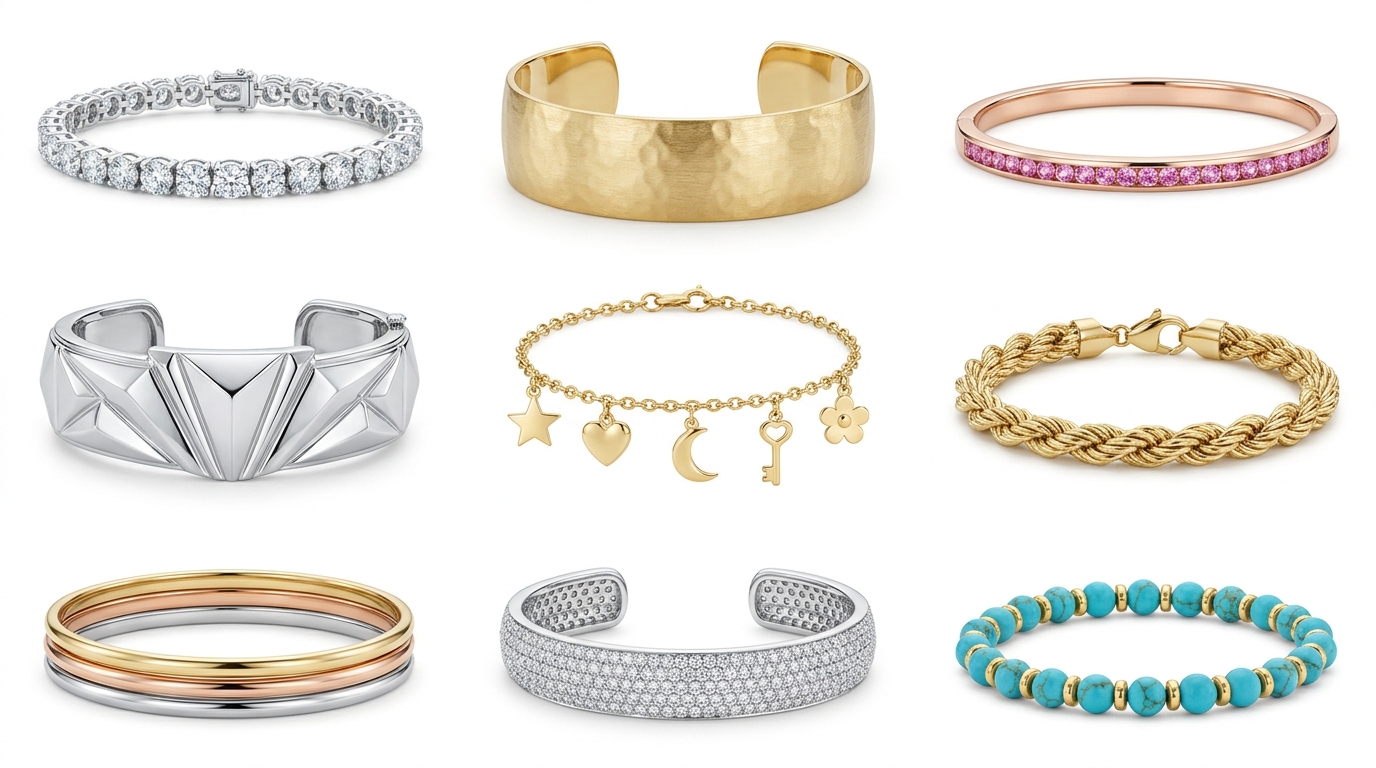
Bracelets Are Trickier Than You Think — and That's Why AI Changes the Game
Bracelets sit in an interesting spot in AI jewelry design. On one hand, the basic forms are simple — a band, a cuff, a chain. On the other hand, the details that make a bracelet feel right are subtle: how it curves, how the clasp sits, how links connect, how pavé stones flow around a wrist form.
Most designers who try AI generation for the first time with a ring or a pendant quickly move on to bracelets. The results surprise people. Here's a walkthrough of the main bracelet categories, with prompts and iteration tips for each.
Tennis Bracelets: Pavé Perfection and Diamond Flow
The tennis bracelet is one of the most-searched fine jewelry styles online, and it's also one of the AI generates best. The linear stone-in-setting structure is something the AI handles confidently because there's so much training data for it.
A clean starting prompt: "classic diamond tennis bracelet, round brilliant stones, shared prong setting, 18k white gold, uniform stone size, elegant fine jewelry, product shot on white". You'll get a solid result most of the time.
What makes tennis bracelet prompts better:
- Specify the stone size or total carat weight if you have a target — "3 carat total weight, 1.5mm round diamonds"
- Try different settings: "bezel-set diamond tennis bracelet" produces a distinctly different look than prong
- Vary the metal: the same bracelet in yellow gold feels completely different; rose gold adds warmth
For variation generation, the Similarity dial is especially useful here. Set it to Very High and generate four or five variations — you'll get subtle shifts in link proportion and stone spacing without losing the essential tennis bracelet character.
Cuffs: Bold Forms and Surface Detail
Cuffs are where AI bracelet generation gets exciting from a design perspective. The open-form structure, surface texture, and sculptural quality all come through well in AI output.
A simple start: "wide gold cuff bracelet, hammered texture, yellow gold, 30mm width, wearable sculpture aesthetic, studio lighting". Wide cuffs with surface treatment tend to generate beautifully because the AI has a lot to work with visually.
For articulated or hinged cuffs, describe the opening mechanism: "hinged gold cuff bracelet, smooth polished surface, 20mm width, clean modern design, slight gap at opening, white gold".
Some prompts worth trying:
Sculptural statement cuff: "wide sculptural gold cuff, flowing organic curves, asymmetric form, matte and polished contrast finish, contemporary fine jewelry"
Pavé cuff: "diamond pavé cuff bracelet, full coverage pavé setting, 15mm width, white gold, brilliant sparkle, bridal fine jewelry"
Architectural cuff: "geometric rose gold cuff, angular faceted panels, art deco inspiration, 25mm width, sharp clean edges"
When you get a cuff form you like, use the Targeted Edit tool to adjust specific areas — change the texture on the surface without altering the shape, or modify the clasp area without regenerating the whole piece.
Bangles: Simplicity With Precision
Bangles are deceptively simple. A circle of metal. But the profile cross-section, weight, and finish make all the difference, and that's where your prompts need to be specific.
"Round bangle bracelet, D-shape cross-section profile, 5mm width, polished yellow gold, minimal clean design" — the D-shape profile detail prevents the AI from generating a flat ribbon or a tube shape.
For stacking bangles, it's worth generating them as a set concept: "set of three stacking bangles, varied widths 2mm to 6mm, mixed metals — yellow gold, rose gold, white gold — minimal modern design, lifestyle flat lay".
Gemstone bangles: "bangle bracelet, channel-set alternating sapphires and diamonds, 18k yellow gold, 4mm width, full eternity continuous stone flow".
Getting Bangles Right on the First Try
The most common issue with AI bangle generation is the bracelet opening — the AI sometimes places a clasp where there shouldn't be one, or adds a gap that makes it look like a cuff. Fix this by including: "continuous closed circle, no clasp, slip-on bangle" in your prompt.
Charm and Link Bracelets: Describing Structure
Charm bracelets and link bracelets require a different prompting approach because the design is about the relationship between components, not a single unified form.
For link bracelets, describe the link shape and how they connect: "cable chain bracelet, 4mm oval links, yellow gold, fine jewelry weight, toggle clasp" or "box chain bracelet, 3mm square links, white gold, polished surface, lobster clasp".
For charm bracelets, you're better off generating individual charm concepts and then composing them — either in Studio's moodboard canvas or by prompting a flat-lay of the charms together. Prompting a whole charm bracelet at once tends to produce muddy results because the AI tries to render many small objects simultaneously.
Building a Bracelet Collection With Agent Mode
If you're designing a coordinated bracelet collection — say, a stackable set for a new line — Agent Mode is the right tool. Write a brief like: "design a stackable bracelet collection, 6 pieces, consistent modern minimal aesthetic, mix of plain gold bands, pavé bands, and a statement cuff, suitable for everyday wear, rose and yellow gold palette".
Set the category to Bracelets, output quantity to 6, and let the agent run. You'll get a cohesive starting collection in the background while you move on to something else. From there, use variation generation to develop two or three directions from any piece you like.
For seasonal catalog work or volume SKU generation, Bulk CSV Jobs handle bracelets the same way they handle any other category — feed in descriptions and references, get projects back for each row, review in the jobs dashboard.
Prompts to Try Right Now
Classic diamond tennis bracelet: "round brilliant diamond tennis bracelet, four-prong gold setting, 18k yellow gold, 7 inch length, elegant fine jewelry"
Organic sculptural cuff: "organic bone-shaped gold cuff, smooth flowing form, polished finish, modern art jewelry, architectural silhouette"
Sapphire bangle: "full eternity sapphire bangle, channel-set royal blue oval sapphires, 18k white gold, 4mm width, rich color saturation"
Stacking set: "three-piece stacking bracelet set, thin bands, one plain gold, one diamond pavé, one twisted rope texture, yellow gold, 2mm width each"
Bold statement cuff: "chunky gold cuff bracelet, 40mm width, irregular surface texture, hammered and burnished finish, tribal-inspired contemporary design"
When Results Aren't Quite Right
The bracelet looks flat or ribbon-like. Add "three-dimensional, volume, substantial weight" and specify a cross-section if relevant.
The AI adds a clasp you don't want. Include "no visible clasp" or "seamless continuous band" depending on the style.
Link bracelets look tangled or incoherent. Simplify: generate a single link first, then use Variation to build a chain representation. Or try "clean, evenly spaced links, uniform spacing" to guide the composition.
The bracelet looks like it's floating. Add a wrist context with "shown on wrist, natural skin tone, lifestyle photography" — or use Studio's Place on Model feature to handle the staging separately after you have a design you like.
Bracelet design is one of those categories where a bit of prompting technique goes a long way. Once you get a few good base forms, the Variation tool and Agent Mode make scaling a full collection feel fast. Give it a session.