
AI Bridal Jewelry Design: How to Build the Full Wedding Suite in One Client Session
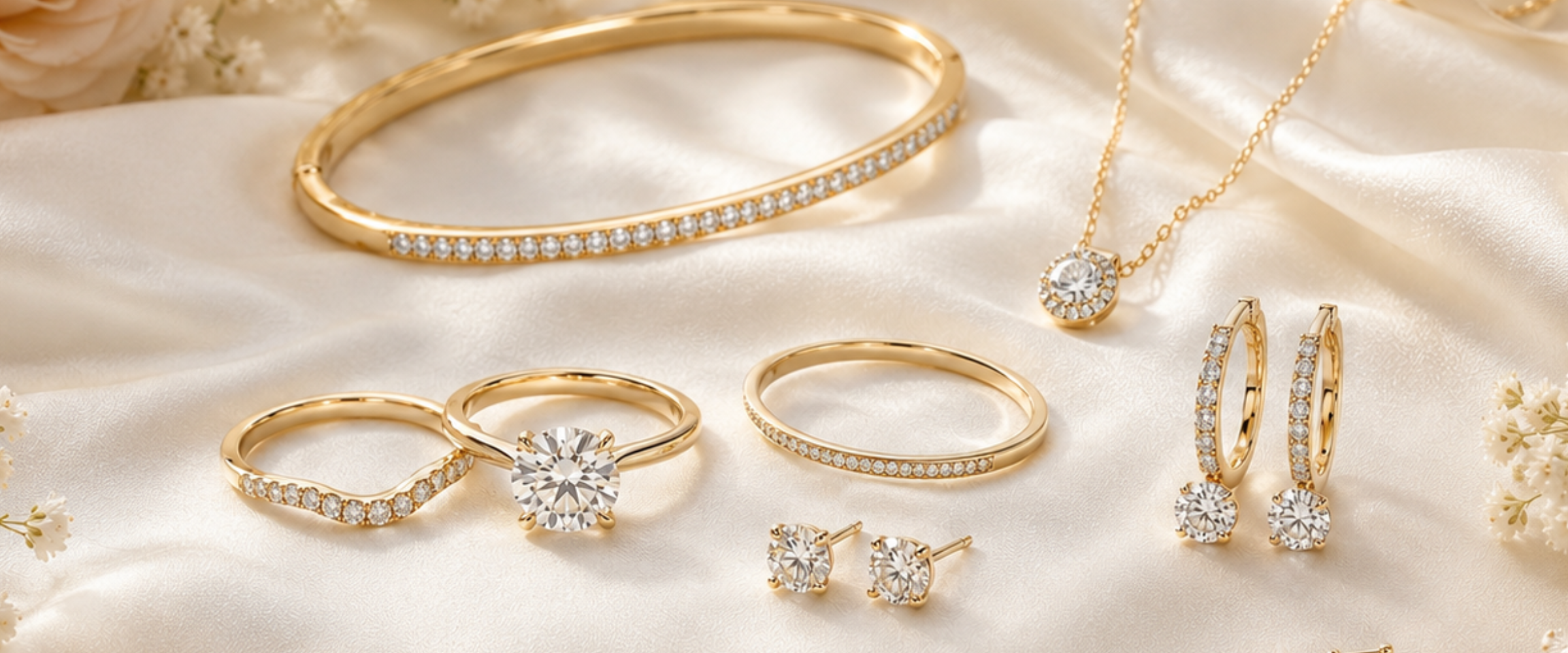
The engagement ring gets all the attention. But most bridal clients eventually come back: for the wedding band, the bridesmaids' pieces, the flower girl set, sometimes a gift for the mother of the bride. Each one used to mean a separate appointment, a separate brief, a separate round of revisions.
It doesn't have to work that way.
With AI bridal jewelry design, you can cover the entire wedding suite in a single client session. Gather the brief once, generate variations across every piece type, and send a cohesive set for review before she's even announced the engagement publicly. Here's how to run that workflow.
Why Bridal Suites Are Different From Regular Collections
A bridal suite isn't just a collection you happen to sell to one customer. Every piece has to hold together visually across different wearers, different occasions, and sometimes a two-year gap between engagement and wedding day.
That means consistent design DNA throughout: same metal family, similar stone cuts, compatible proportions. When you're sketching each piece separately, consistency is something you have to actively track. AI design tools make it happen automatically.
Once you've nailed the brief for the engagement ring, that style (the metal, the surface finish, the level of intricacy) becomes the foundation for everything else you generate. You're not starting from scratch on every piece. You're extending a visual language.
Anchoring the Suite to the Engagement Ring
The engagement ring is almost always the centerpiece. Use it as your anchor.
If the ring is already done, import it as a reference image. If you're designing from scratch, prompt the ring first, then use the approved result as a reference before you touch anything else. The goal is one locked visual that every subsequent generation pulls from.
Good AI bridal jewelry design starts with capturing that anchor clearly: the metal weight, the surface finish, whether the style is clean and minimal or ornate and romantic. Turn those observations into a short descriptor you'll paste into every other prompt in the suite. Diatech Studio's snippet library is made for exactly this: save it once and autocomplete it for every piece.
A few starting-point prompts depending on style:
- 18k yellow gold, high polish, French pavé setting, round brilliant center, delicate proportions
- White gold, satin finish, art deco geometric band, emerald-cut sapphire, milgrain edge detail
- Rose gold, brushed finish, bezel-set oval diamond, clean minimalist silhouette
Once you've built and saved that anchor, you can move through the rest of the suite without rewriting your brief from scratch.
Designing the Wedding Band
The matching band is where most studios lose visual consistency. It should feel married to the ring: same metal, proportions that nest correctly, compatible texture. But it's not just a copy. It needs its own identity as a standalone piece.
Take your anchor snippet and add a specific directive for the band:
Matching curved wedding band, stackable, shared prong setting, no wider than 2mm, same metal and finish as [anchor]
Generate four or five variations and send two or three of the strongest ones alongside the engagement ring render. The key is showing how they sit together, not how they look in isolation. The Multiple Angles feature in Studio is useful here. A stacked top-down render of both pieces on a hand is far more convincing than two separate flat images the client has to mentally assemble.
Bridesmaids Pieces: Same Aesthetic, Different Budget
Bridesmaids jewelry is a revenue opportunity most jewelers undersell. It also has different design constraints: coordinated without being identical, and almost always at a lower price point than the bridal pieces.
The anchor style is still your guide, but you dial back the intricacy and adjust materials:
Delicate cluster stud earrings, 14k yellow gold, round brilliant pavé, inspired by [anchor] but simplified for bridesmaids coordination
Run the full set (earrings, simple pendant, thin bangle) in one session. If you use Project-Level Instructions in Studio, the anchor aesthetic applies automatically to every generation inside the project without you pasting the brief manually each time. Three bridesmaids pieces in 20 minutes is realistic.
This is one of the real practical wins of AI bridal jewelry design: you can explore the entire suite before committing a single piece to metal.
The Mother-of-the-Bride Piece (That Clients Forget to Ask For)
Not every jeweler thinks to bring this up. Most couples do eventually think about it, particularly for cultural weddings where family jewelry carries real meaning.
A mother-of-the-bride piece needs to feel connected to the bridal story without competing with the bride. Similar metal family, slightly more classic proportions, a stone that echoes the bridal color story but doesn't overshadow it.
Pull the engagement ring as a reference image, add a few notes about the mother's personal style, and generate options that feel like they belong to the same occasion. The client will almost always want to see this if you present it as an option. Most just don't think to ask without a prompt.
Presenting the Suite as One Package
The real shift in AI bridal jewelry design isn't just speed. It's the ability to present a complete story before the client has time to shop around.
Export the full suite as a PDF catalog or a formatted PowerPoint deck: each piece labeled, photographed from the best angle, with its BOM and price listed. Send it as a named shared link so the client can open it on her phone, scroll through with her partner, and leave annotated feedback directly on specific designs. No attachments, no back-and-forth email chains.
When the notes come back, they're attached to individual pieces. You know exactly what to adjust and what to leave alone.
Closing the Whole Order in One Appointment
The business case for AI bridal jewelry design isn't complicated. Most bridal clients end up buying multiple pieces from multiple sources because no one presents the full picture early enough. If you can walk out of the first consultation with an approved suite across five or six pieces, all from one brief, all visually consistent, all priced, you've closed what used to take three separate visits.
Spring wedding season is fully underway. The clients who got engaged over the holidays are making vendor decisions right now. Show up to that first appointment with a same-session suite and a shareable preview, and you're not just faster than the jeweler down the street. You're the one who understood what they actually needed.