
AI Men's Jewelry Design: How to Get Signet Rings, Bands, and Bold Pieces Right
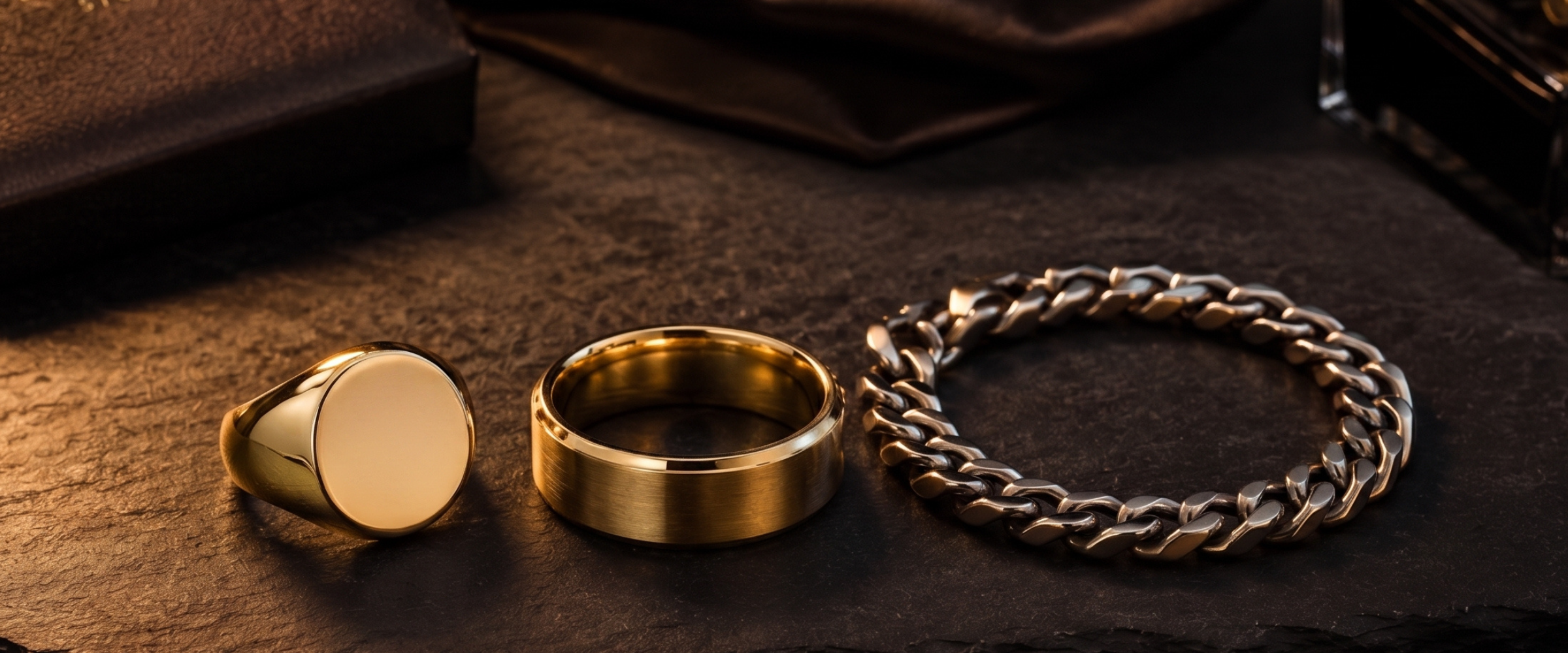
If you've ever typed "men's signet ring, gold, bold" into an AI jewelry tool and gotten something that looks like a fashion ring with chunky proportions, you already know the problem. AI jewelry generation is trained heavily on images of delicate, feminine pieces, and left to its own defaults it gravitates there. Getting men's jewelry right — pieces that feel weighty, intentional, and genuinely wearable — takes a different prompting approach than anything you've used for a solitaire or a tennis bracelet.
This isn't a limitation of the technology. It's a calibration issue, and once you understand it, AI men's jewelry design becomes one of the faster workflows in the studio.
Why Men's Pieces Behave Differently in Generation
The core challenge is proportion and restraint. A women's cocktail ring can have delicate prongs, intricate milgrain borders, and a dozen visual details in a small footprint. Men's jewelry works the opposite way — fewer details, heavier gauge, broader surfaces, more deliberate negative space. When you under-specify those qualities, the AI fills in the gap with whatever it considers "refined," and refined usually means feminine.
The fix is specificity upfront, not correction after. Every prompt for a men's piece should lock in three things before anything aesthetic: gauge or weight (heavy gauge, thick shank, substantial setting), surface treatment (matte, brushed, high-polish face, satin finish), and profile (flat court, half-round, D-profile, comfort fit). Those three descriptors do more for masculine proportion than any style keyword you add later.
AI Men's Jewelry Design: Piece by Piece
Signet Rings
Signet rings are the most-requested men's custom piece, and they're also where AI tools struggle most without guidance. The bezel needs to read as a flat, workable surface — not a domed gem setting in disguise. Your prompt should explicitly call out "flat rectangular table, 14x12mm bezel, matte finish, heavy gauge shank, no stones, plain polished face." If you want an engraving effect, describe it as "shallow intaglio crest suggestion" rather than asking for actual engraving, which AI won't render accurately.
Diatech Studio's Targeted Edit tool is useful here. Generate the overall ring with your weight and profile specs, then use a lasso selection over the face to iterate specifically on that surface — adding texture, a monogram effect, or a heraldic element — without changing the shank you already got right.
Men's Wedding Bands
Wedding bands are where the design brief is often the simplest and the AI's defaults are the most reliable — but there's still a calibration gap. Default AI ring prompts produce a comfort width around 4–5mm. Men's bands typically run 6–10mm, and that width changes everything about how a piece reads.
Always specify width in mm. Add "flat court profile, comfort fit interior, 8mm width" or "beveled edges, brushed center, polished rails" to get a result that actually resembles what your client is asking for. For two-tone bands, be explicit about which surface gets which finish: "polished yellow gold beveled edges, brushed white gold center panel."
For bands with inlay — wood, carbon fiber, meteorite — describe the material directly in the prompt and specify its position. "8mm tungsten-style band, dark gray matte body, thin meteorite inlay centered, irregular natural texture" produces something genuinely usable as a reference, even if the actual manufacturing will involve real meteorite.
Cufflinks
Cufflinks are genuinely underserved in AI jewelry content, and they're also one of the easier pieces to generate because the constraint set is simple: two identical faces, a connecting bar or T-bar mechanism, and usually a single decorative surface. The mechanism itself rarely renders well, so prompt for the face only: "flat oval cufflink face, 18mm, deep blue enamel, thin yellow gold border, satin finish, slight convex dome."
Multiple Angles is essential for cufflinks. Generate the face view first, then use the angles tool to get a three-quarter view that shows the mechanism and back — clients always ask how they fasten.
ID and Chain Bracelets
For ID bracelets, the same surface logic as signet rings applies. The plate needs to read as broad and flat: "ID bracelet, 20mm brushed gold plate, curb chain links, lobster clasp, no stones." For chain bracelets — Cuban links, Figaro, rope chains — specify link count or link size in mm rather than using vague descriptors like "chunky." "8mm Cuban link bracelet, high polish yellow gold, box clasp" gives the AI something concrete to work from.
The tricky part of chain bracelets is that AI tools sometimes generate loose, draped chain that looks more like a necklace chain. If that happens, use the self-healing prompt workflow to describe specifically what went wrong — "chain links appear too thin and the clasp is missing" — and the tool will suggest a revised prompt that corrects it.
Getting Masculine Proportions Right With Project-Level Instructions
If you're working on a full men's collection or doing repeated custom work for a client who buys men's pieces, set up Project-Level Instructions before you generate anything. A simple brief like "All designs are men's jewelry. Prioritize heavy gauge, substantial proportions, minimal ornament, and masculine surface treatments. Default to matte or brushed finishes unless specified otherwise" will pull every generation in the project toward the right aesthetic without you rewriting it into each prompt.
This matters more for men's pieces than almost any other category, because the AI's default drift toward delicate is stronger here. The project instruction acts as a constant counterweight.
Presenting Men's Designs to Clients
One thing worth knowing: the lifestyle photography step changes significantly for men's pieces. The Place on Model feature generates on-body shots, and for men's jewelry you want to specify "male hand, close-cropped shot" in your lifestyle prompt rather than accepting the default — which typically generates a female hand with long nails. That might seem minor, but it visibly affects whether the scale reads right in the image.
For signet rings and bands especially, a simple hand shot with neutral background often performs better than a styled flat lay. The weight of the piece communicates better when you can see it on a hand.
Father's Day Is Six Weeks Out
If your studio does custom work, the Father's Day window is shorter than it looks. Custom pieces with client approval cycles and production time typically need the brief confirmed by mid-May to deliver by June 15. AI men's jewelry design compresses the first stage dramatically — you can go from a verbal brief ("something like his grandfather's signet, but cleaner, in rose gold") to a client-ready visual in an hour, not a week. That's enough of a time saving to take on custom orders you'd otherwise turn away this late in the season.
Start a project now, set your instructions, and have two or three signet and band options ready to show walk-in clients this weekend.