
AI Engagement Ring Design: From Idea to Client-Ready Render in Under 10 Minutes
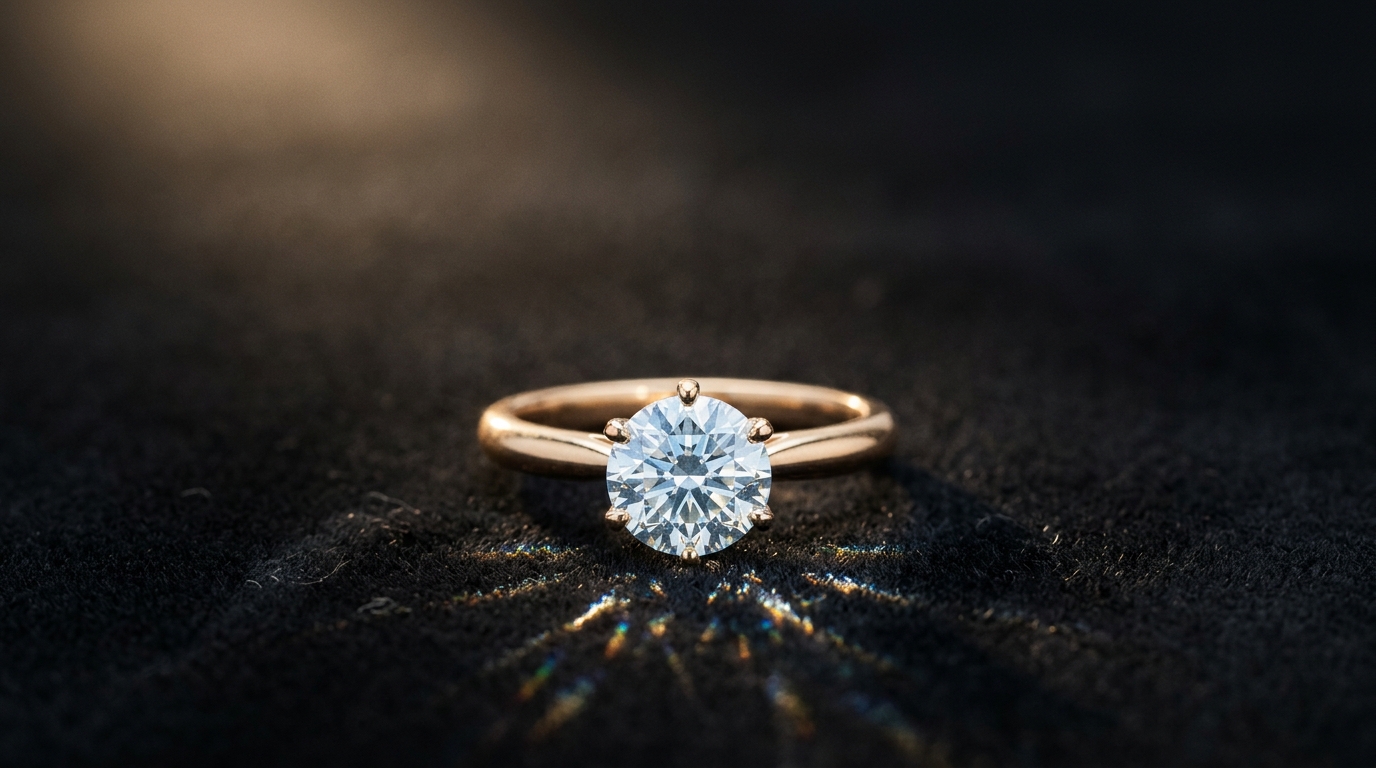
Picture this: a client walks into your studio on a Tuesday afternoon. They pull out their phone, show you a screenshot of a ring they found on Pinterest, and say, "I want something like this, but different." Old workflow: you take notes, promise to get back to them in two weeks, email your CAD artist, wait, revise, wait again. New workflow: you type a sentence, and they're looking at a photorealistic render before their coffee gets cold.
That's what ai engagement ring design looks like in 2026. And it's changing how jewelers work, how clients make decisions, and how fast a "yes" turns into a sale.
Why Engagement Rings Are the Perfect AI Design Use Case
Engagement rings carry more emotional weight than almost any other purchase. Clients have a vision but rarely the vocabulary to describe it. They know what they like when they see it, but they can't always articulate why they like it.
This is exactly where AI excels. Instead of asking a client to describe their dream ring in abstract terms, you can generate 3–4 options from a rough description and let them react. "More like the second one, but with a thinner band" is a direction an AI can run with instantly.
Starting with a Text Prompt
The fastest path to a first concept is a plain-text description. You don't need design terminology — just describe what you're going for.
Here are some prompt examples that work well:
Classic solitaire: A classic six-prong round diamond solitaire engagement ring in 18k white gold, slim tapered band, high polish finish, studio photography lighting
Oval halo: An oval diamond halo engagement ring in yellow gold, pavé-set halo with a subtle hidden halo beneath, delicate twisted band, romantic and vintage-inspired
Emerald cut three-stone: A three-stone emerald cut diamond ring in platinum, large center stone flanked by two smaller emerald cuts, step-cut facets catching diffused light, architectural and modern
Vintage-inspired with milgrain: An Edwardian-style engagement ring with a cushion-cut diamond, milgrain edging, intricate filigree gallery, rose gold, antique warm finish
Pavé band: A round brilliant diamond with a French pavé band in 14k white gold, the pavé continuing halfway around, bright and sparkly, photographed from a slight top-down angle
Hidden halo: A round diamond engagement ring with a hidden halo set beneath the center stone, white gold, clean cathedral shoulders, the halo only visible from the side
The AI reads these descriptions and generates a photorealistic render immediately. Not a sketch, not a wireframe — a photo-quality image a client can actually respond to.
The 3D Ring Builder for Live Configuration
If your client knows the general direction but wants to explore options in real time, the Ring Builder is the faster path. You choose from a library of ring styles, then configure:
- Stone shape: Round, Oval, Cushion, Princess, Emerald, Pear, Marquise, Asscher, Heart, Radiant, or Elongated Cushion
- Stone size: from 1.00 ct up to 4.00 ct in half-carat increments
- Setting: Classic Prong, Hidden Halo, Single Halo, Classic 6 Prong, or Double Halo
- Metal: White Gold, Yellow Gold, or Rose Gold
- Wedding bands: optional top and bottom band add-ons
Every change updates the 3D model live. The client can rotate it, inspect it from any angle, and see exactly what they're getting. It's the closest thing to holding the ring before it exists.
Iterating from a Reference Image
If the client brings a photo — a screenshot, a magazine tear sheet, a Pinterest pin — you can upload it directly as a reference. The AI generates from it, preserving the character of the original while applying it to a new design.
This is particularly useful for "inspired by but not identical to." Clients often love the feeling of a ring they've seen but want something that's actually theirs. A reference image gives the AI the visual language to work with.
Getting the Details Right
For technically minded clients or designer-to-designer handoffs, you can use the Technicals mode to specify exact parameters: stone dimensions, prong style, metal weight targets, band width. This generates a design that matches those specifications rather than a stylistic interpretation.
Once you have a design the client likes, you can run Multiple Angles to show them the ring from front, side, back, and top. This is often what closes the decision — seeing the profile view of a knife-edge band, or the back of a cathedral setting, makes the design feel real.
From Render to Production
The AI render is the approval stage. Once the client signs off, you can generate a 3D CAD model from the flat design image (available on the Enterprise plan) to hand to your CAD artist or casting team with a much tighter brief. Or use the render as a reference alongside your existing CAD workflow.
Either way, you've compressed the "concept to approval" phase from weeks to minutes. The client leaves the appointment knowing what they're getting. And you move to production with a signed-off design instead of a vague description.
The Numbers Are Hard to Ignore
Traditional custom ring workflow: 2–3 weeks from brief to client approval. Average number of revisions: 3–4. Cost of each revision: 1–2 hours of a CAD artist's time.
AI-assisted workflow: brief to render in under 10 minutes. Revisions happen in the conversation. CAD artist time reserved for production files, not ideation.
For a studio doing 20 custom pieces a month, that's a significant chunk of time back in the calendar.
Getting Started
If you're new to ai engagement ring design tools, start simple. Open a new project in Diatech Studio, type a description of the ring you're working on, and see what comes back. Adjust. Iterate. Use the ring builder if you want a configurator view.
The learning curve is genuinely shallow. If you can describe a ring in a sentence, you can design with AI.
Try it at studio.diatech.ai — the free tier gives you enough credits to generate your first few concepts without committing to anything.