
AI Earring Design: Studs, Drops, and Hoops in Minutes
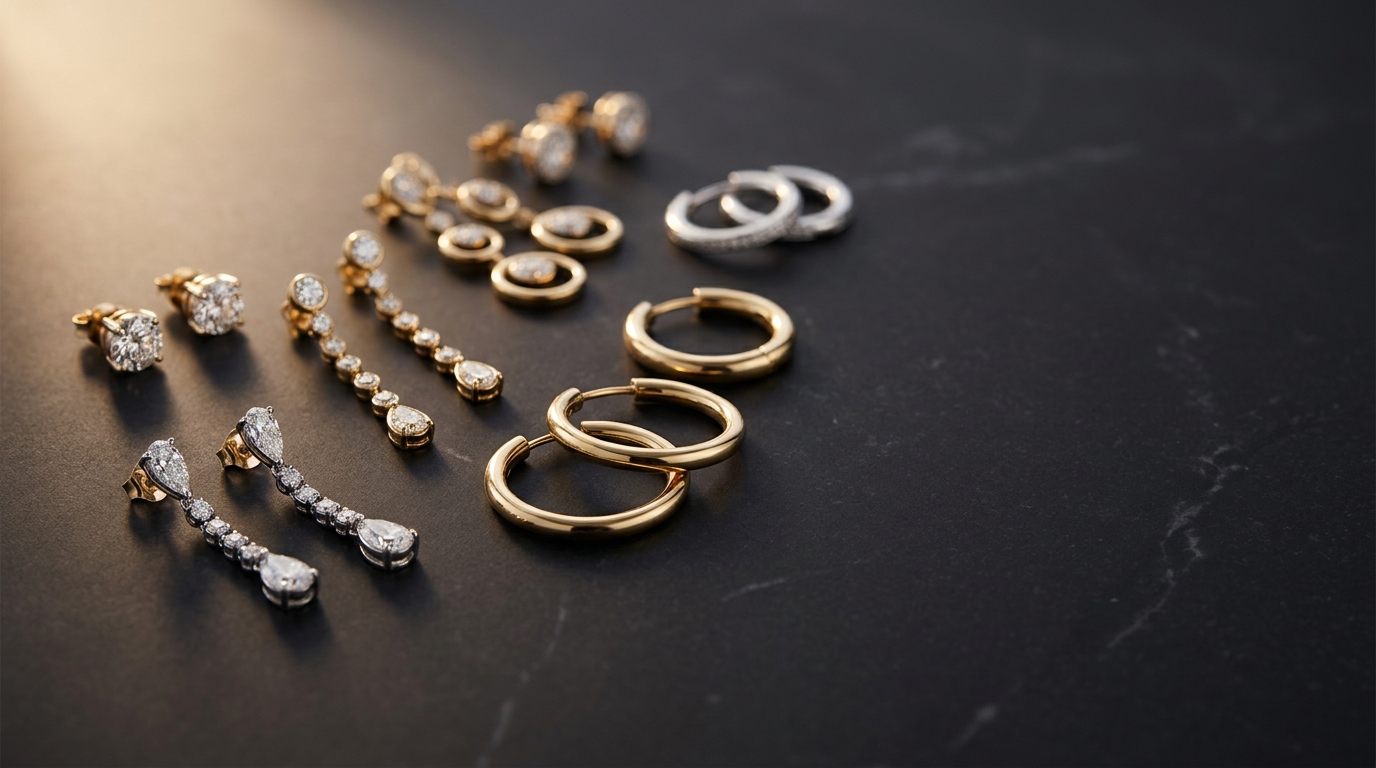
Why Earrings Are One of the Best Categories to Start With in AI Jewelry Design
Earrings are actually one of the easiest jewelry categories to get great results from AI design tools. Why? Because they're relatively contained — a stud is a single element, a drop has a clear top-to-bottom narrative, and a hoop lives in a defined geometric form. That clarity makes prompts easier to write and easier to iterate.
Compare that to a pavé eternity band where every millimeter matters. Earrings give you room to experiment. They're also a high volume category for most jewelry brands, so if you're going to batch-generate designs, this is a great place to start.
Here's a practical walkthrough for getting compelling earring designs out of Diatech Studio, across the three most popular styles.
Stud Earrings: Getting Precision From Simple Shapes
Studs look simple but they reward specific prompting. The AI handles the shape well when you give it clear direction on stone, setting, and profile.
A prompt like "round brilliant diamond stud, four-prong platinum setting, clean minimal design, viewed slightly from above" produces something very usable on the first try. If you want to go fancier, "pear-shaped rose gold stud with milgrain edge, vintage-inspired, warm lighting" gives you something with real character.
A few things that help with studs specifically:
- Mention the setting style (prong, bezel, tension, martini) — the AI respects this
- Add a viewing angle ("viewed slightly from above" prevents a flat-on silhouette)
- Specify the profile if it matters (flat disc vs. domed vs. raised)
Once you have a base stud you like, Studio's Variation tool is your best friend. Set similarity to High and generate four or five variations — you'll get a coherent family of studs in one pass without rewriting the prompt each time.
Drop and Dangle Earrings: Working With Layered Forms
Drops are where AI earring design gets really interesting. The AI handles cascading forms, chain elements, and mixed materials well — sometimes better than you'd expect.
Start with the structural anchor: "gold drop earring, teardrop aquamarine center stone, thin curved bale, delicate chain detail below, fine jewelry aesthetic". The AI understands that drop earrings have a top-to-bottom structure and usually places elements accordingly.
For longer dangles, be explicit about length and movement: "shoulder-grazing gold chain earring, three stacked oval stones, fluid movement, editorial styling" communicates scale and intent.
Where drops get tricky is symmetry — AI generation sometimes produces the left and right earring slightly differently. If that happens, use Studio's Targeted Edit tool: draw a lasso around the asymmetric element and prompt a correction without touching the rest of the design.
Chandelier and Statement Drops
For elaborate chandelier styles, describe the structure layer by layer: "chandelier earring, round central stone, three radiating wire branches, pavé accents at tips, Indian bridal aesthetic, yellow gold". Breaking it into visual layers helps the AI maintain coherence across the whole piece.
Hoop Earrings: Capturing Weight, Width, and Finish
Hoops sound like the easiest shape but they have the most variation in wear feel, which is hard to communicate visually. Thickness, inner diameter, and finish matter enormously.
Good hoop prompts include the cross-section detail: "thick tube hoop earring, 40mm diameter, polished yellow gold, heavyweight substantial look, product shot". Without specifying diameter or weight, AI tends to generate thin delicate hoops by default.
For pavé or diamond hoops: "full pavé diamond hoop earring, inside-out style, 30mm, 18k white gold, brilliant sparkle, studio lighting" works consistently well. "Inside-out" is a term the AI recognizes from training data.
Huggie earrings are worth calling out as a specific sub-style: "huggie hoop earring, 12mm diameter, single row pavé diamonds, snug fit appearance, white gold" — the word "huggie" communicates the close-to-ear silhouette clearly.
Using Studio's Tools for Earring Presentations
One thing that makes a real difference in how earring designs land with clients is showing them worn, not just floating in space.
Studio's Place on Model tool lets you place your earring design onto an ear photo for realistic lifestyle imagery — no model booking required. This is especially useful for drops and hoops where the length and drape are part of the story.
For product catalog images, the Multiple Angles tool lets you re-render a design from a different camera position. For earrings, adding a front-facing view and a slight three-quarter angle gives clients a complete picture of the piece in two clicks.
Batch-Generating an Earring Collection
If you're building a full collection, don't generate earrings one by one. Here's the faster workflow:
Use Agent Mode to define a creative brief — for example, "generate 8 drop earring variations in a modern minimal aesthetic, mixed metals, suitable for everyday wear" — pick the earring category, set quantity to 8, and let it run in the background while you work on something else.
For volume production (50+ SKUs for a seasonal launch), Bulk CSV Jobs let you feed in a spreadsheet of descriptions and reference images and get rendered designs back for each row. Every output links back to its own project automatically, so organizing a large earring launch doesn't require any manual filing.
Earring Design Prompts That Actually Work
A few tested starting points:
Minimalist gold studs: "small round gold disc stud, brushed matte finish, 10mm, minimalist, contemporary fine jewelry"
Geometric drops: "geometric art deco drop earring, hexagonal onyx stone, gold outline frame, black and gold palette, sharp clean lines"
Organic statement hoops: "irregular hammered gold hoop, 50mm, organic texture, artisan handmade aesthetic, warm yellow gold, slightly uneven surface for character"
Bridal drops: "cascading diamond drop earring, pear-shaped top, three graduated rounds below, platinum, bridal fine jewelry, soft romantic lighting"
Colored gemstone studs: "oval Colombian emerald stud earring, four-prong gold setting, vivid green, rich saturated color, product photography"
These aren't magic formulas — tweak them, combine elements, and use the Variation tool to build from whichever base resonates.
What to Do When You're Not Getting What You Want
Three common earring generation issues and quick fixes:
The AI keeps making them too small or too delicate. Add "substantial, bold, statement" to your prompt, or explicitly state a measurement.
One earring in the pair looks different from the other. Use Targeted Edit on the asymmetric side, or generate a fresh variation and check if the pair matches better.
The design looks generic. Pull in a reference image via Studio's Reference Image Upload. Showing the AI a photograph of an existing piece you love gives it a much clearer visual anchor than any text description.
AI earring design is one of those things that clicks fast once you try it. The categories are intuitive, the prompts are forgiving, and the iteration speed means you can go from "I want something like this but different" to a client-ready render in a single session.
If you're just getting started with AI jewelry design, earrings are as good a place as any to begin.